FLO by FastFlowUp
Company mail under your own key.
FLO gives your company mail, chat, cloud, calendar, live meetings and booking in one place, on your own domain and under a key held for your company alone. No licence per seat to Google or Microsoft, at any headcount.
Wednesday 14 October
Good morning, Elena
Inbox
3 new4 new- Laura BianchiContract for Thursday
- Klara NowakQuarterly figures, final
- FinancePayroll approved
Next
Design review
10:30 to 11:00, Live room ready
JoinBook
No new bookings yet todayLBIntro call with Laura BianchiThursday 2:00 pm, deposit paidCloud
Contract v4.pdf
UploadingSaved and shared with SalesSpeed
Your mail is already there when you open it.
Most web mail asks a server for every click. FLO keeps your recent mail, files, events and contacts on your device and syncs changes in the background. Opening a message or switching a folder reads from the device, so the network is never in the way of reading. It keeps working offline and catches up when you are back.
Design budgets every release is held to
- Open a folder or a synced message
- 50 ms
- First search results, from the device
- 100 ms
- Cold open with a warm cache, ready to use
- 1 s
- Klara Nowak9:12Quarterly figures, final
- Laura Bianchi8:47Contract for Thursday
- Facilities8:05Office closed on Friday
- Daniel WhitfieldMonTrip notes for next week
Quarterly figures, final
From Klara Nowak
Attached is the final version with the changes from Monday. The totals now match the board pack.
Contract for Thursday
From Laura Bianchi
Here is the signed copy. Could we move the call to 2:00 so legal can join?
Office closed on Friday
From Facilities
The building is closed for maintenance. Work from home and book a room for Monday if you need one.
Trip notes for next week
From Daniel Whitfield
Flights, the hotel and the agenda for both days. Everything is in the shared folder as well.
Security
Security that assumes someone will click.
Most breaches start with a stolen password or a convincing email. FLO removes the password and checks every message and link again, at the moment it matters.
Look twice before you act. This sender is new and the address imitates your company's domain.
Updated bank details for invoice 4471
Accounts Team, accounts@yourcompany-billing.co
Campaign
Report it and every copy in the company goes with it.Same campaign found in 38 mailboxes. Removing.Removed from 38 of 38 mailboxes. Elena has been told what happened.- Received
- 38
- Opened
- 11
- Clicked
- 2
- Removed
- 38
Passkeys instead of passwords
People sign in with a fingerprint, a face or the device PIN. There is no password to phish, reuse or reset. A phone code is used only to set up an account and to recover it.
One report cleans every mailbox
When someone reports a phishing message, FLO finds the rest of that campaign across the company and removes it from every mailbox. The reporter hears what happened. The administrator sees who received it, who opened it and what is still outstanding.
Links checked at the moment of the click
Every link in incoming mail is checked again when it is clicked, not only when the message arrived. A page that turned bad overnight is caught. A suspicious link shows where it really goes and why.
Encryption with keys per company
Mail, files and sensitive fields are encrypted at rest under keys that belong to your company alone. When a person or a company is deleted, their key is destroyed after the retention window. The backups become unreadable with it.
Administration
Set a policy once. Every team inherits it.
The Console runs mail, chat, files, meetings, booking and sign in from one place, with policy by team and nothing hidden in a setting nobody can find.
Org units
- Your company
- Sales
- Sales APAC
- Sales EMEA
- Support
- Finance
Admins for Sales APAC
Klara Nowak, admin
Laura Bianchi, help desk for Sales and Support
External file sharing
AllowWarnBlockInherited from Your companyAllowWarnBlockSet on Sales APACOverride for this team only, or keep the company value.Confirmed with a passkeyLink expiry
30 daysInherited from Your company
Audit log
- 10:42 Klara Nowak set External file sharing on Sales APAC. Before: Warn, inherited. After: Block.
- 9:15 Klara Nowak gave Laura Bianchi help desk for Sales and Support.
- Yesterday Passkeys required for Finance.
Inheritance you can see
A policy set for the company flows to every team. Override it for one team and each setting names the unit its value came from.
Delegated admins
Give help desk, compliance or billing people exactly the teams they look after and nothing more.
An audit trail with both values
Every change is recorded with the value before and after. The dangerous ones ask for a fresh passkey first.
Sign in with FLO
One sign in for the other tools you use.
The same passkey everywhere
Your other business applications accept a FLO sign in, so every one of them inherits passwordless sign in.
Old and new applications
Modern applications and older enterprise ones both connect through the standard sign in protocols.
Add once, remove once
Add a person in the Console and they reach the tools they should. Offboard them and every session ends at once.
One place to see every sign in
The Console shows which applications each person used and when, in the same audit trail as everything else.
Local speed
Local speed where the local exchange is strong.
In some markets the local internet exchange is fast and inexpensive while the route abroad is slow and metered. There, FLO can place a node inside the exchange, so a file moves at local speed.
Site survey photos.zip
1.2 GB
- Encrypted in the browser before it left
- Received at the local nodeReceived at the local node
- Protected: the durable copy existsProtected: the durable copy exists
Received, then protected. An upload is acknowledged the moment the local node has it and copied to durable storage in the background. The file says received straight away and protected only once the durable copy exists, never safe on one machine.
Opt in and measured. Files are encrypted in the browser, so a node only ever holds ciphertext. Nodes are opt in for each company and listed in the Console. Where we run one, we publish measured numbers for that market rather than promises.
Mobile app
Take the whole suite with you.
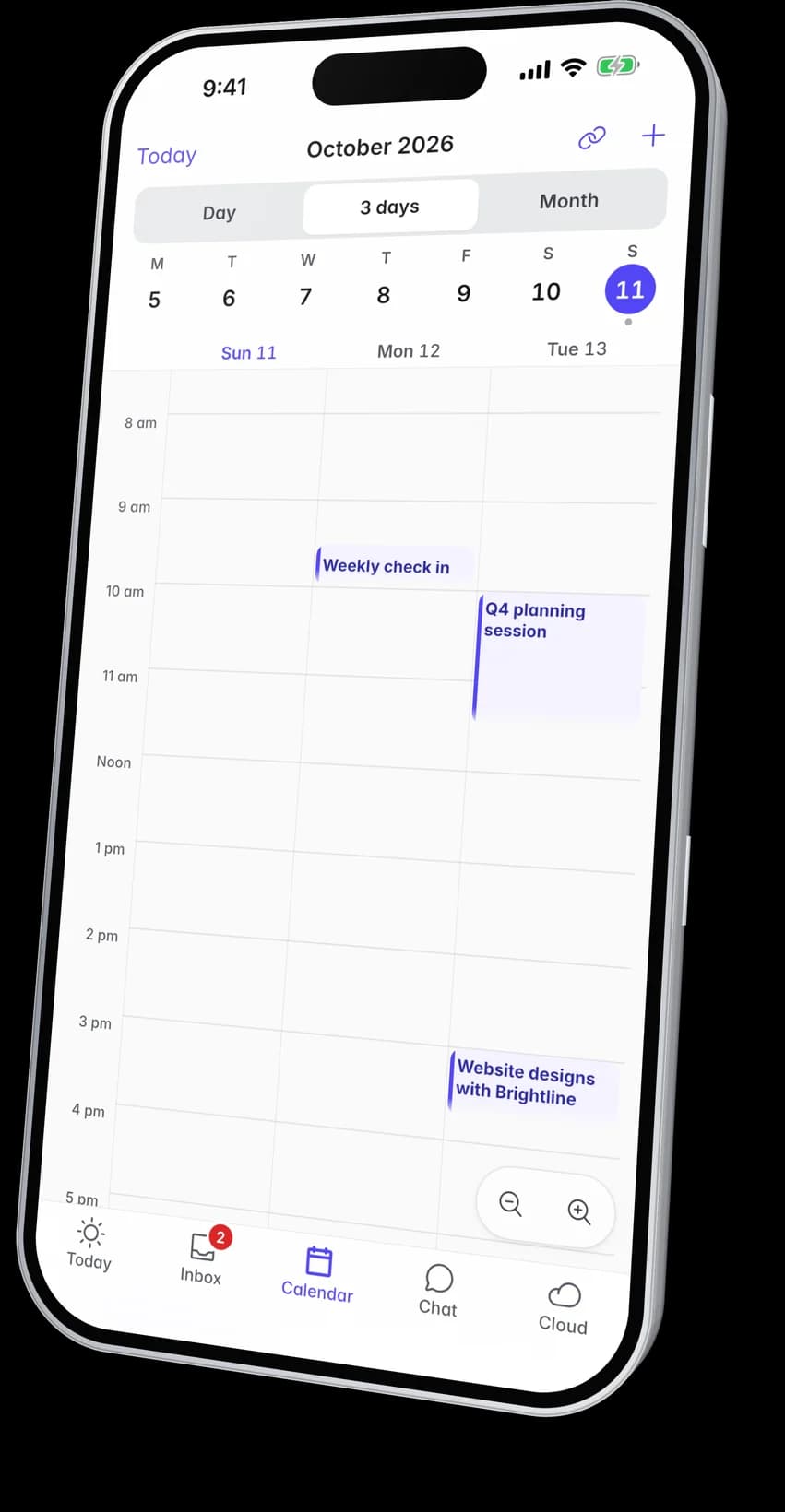
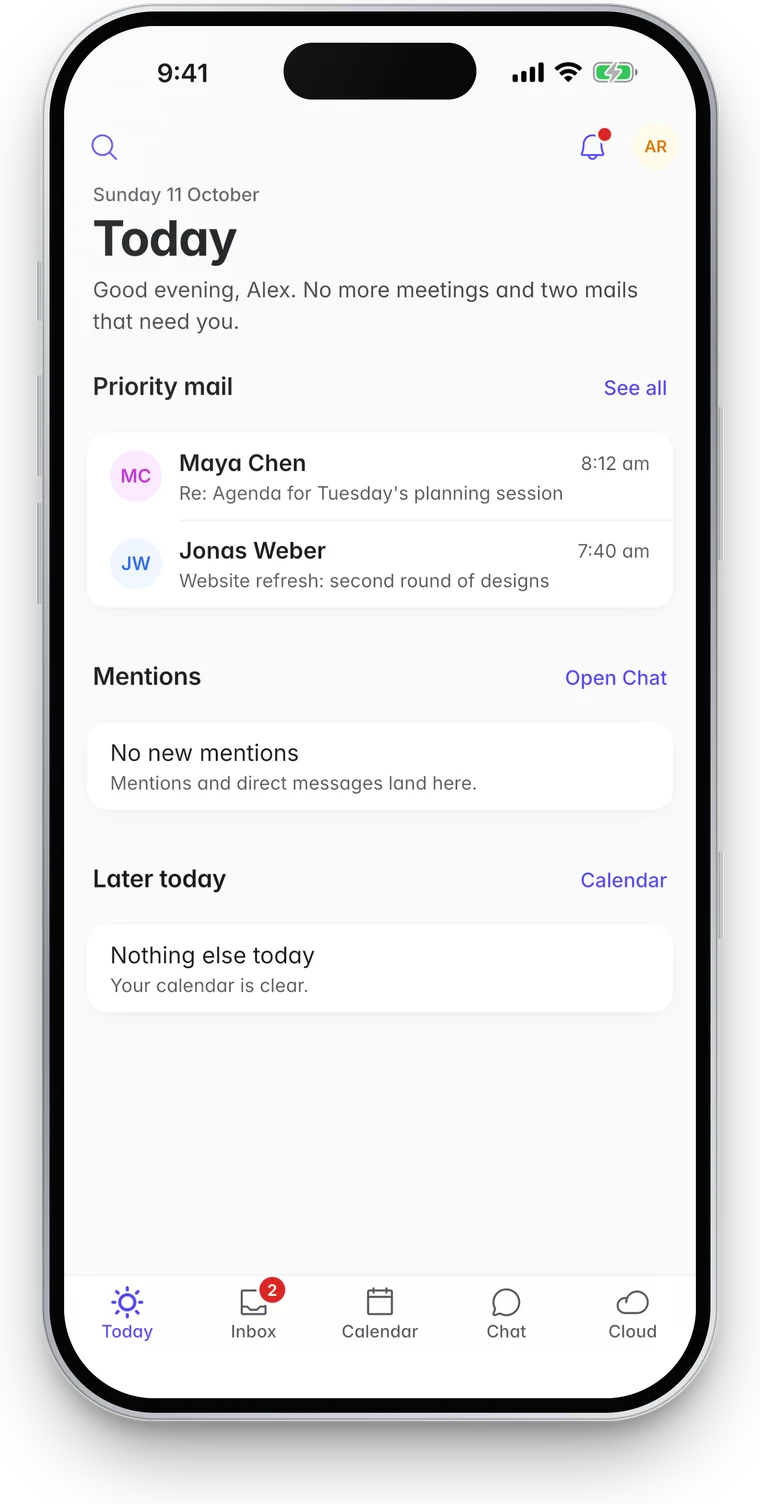
The FLO app for iPhone and Android puts Inbox, Calendar, Chat, Cloud and Live on the phone. People sign in with the company account they already use in the browser. Nobody makes a second one.
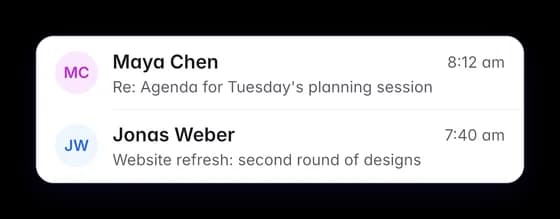
- Priority mail first, whole threads folded and search by person, subject or word
- Meetings typed the way you would say them, with every guest and their answer
- Cloud files encrypted on the phone before they upload
- Live meetings joined straight from the event
On its way to the App Store.
Migration
Move from Google Workspace. Keep a way back.
Inventory
Mailboxes, groups, aliases, forwarding and shares counted. A safety copy taken.
Pilot
A few people use it for real while everyone else stays where they are.
Nightly copies
Everyone’s mail, calendar and files copied, then kept current each night.
Cutover
One weekend: a final copy, delivery switched, passkeys set up on Monday.
Thirty days
The old account stays intact and the way back stays open.
Move from Google Workspace
- Inventory
- Pilot
- Nightly copies
- Cutover
- Day 1 to 30
- EPElena PetrovaMailFilesFinal copyReady
- LBLaura BianchiMailFilesFinal copyReady
- KNKlara NowakMailFilesFinal copyReady
- DWDaniel WhitfieldMailFilesFinal copyReady
Rollback
Points delivery back and copies new mail back to where it was.
Roll backAvailable until day 30
Day 30
Until then, one button in the Console points mail delivery back where it was and copies new mail back with it.
Bring your company’s mail home.
Book a demo and we will walk through a move for a company your size, including the way back.